👉 Your First 7 Days
Your First 7 Days
A simple step-by-step guide to help you get set up, understand the basics, and take your first practice trades without feeling overwhelmed.
Welcome to the team — I’m so glad you’re here. If everything feels like a lot right now, that’s completely normal. This page is here to walk you through exactly what to do next, in order, so you don’t have to guess.
Start Here: Welcome
This short video will show you how to use this page and what to focus on first.
Watch Next: Big Picture Overview
This video will help you understand the purpose of your first week and what to expect as you get started.
Quick Breakdown: How Everything Works Together
This will help you understand how JIFU, our team, and everything you just got access to fits together.
Step 1: Join the Community
Before you do anything else, get connected to the places where our team communicates and supports each other.
What to do:
Join our private Facebook group.
Watch the Discord setup video.
Log in to Discord (or create a free account if you don’t already have one).
Inside Discord, choose the option to add a community/server and paste in the invite link below.
Why this matters:
Discord is where our ATH team operates day to day. That’s where you’ll find updates, trainings, support, registration links for weekly Q&A calls, strategy channels, and important info like the ATH indicator password.
Discord Invite Link:
Important: Do not click this invite link directly. Log in to Discord first, then paste this link inside Discord when adding the community/server.
Once you are verified and approved, your screen will look something like this 👇
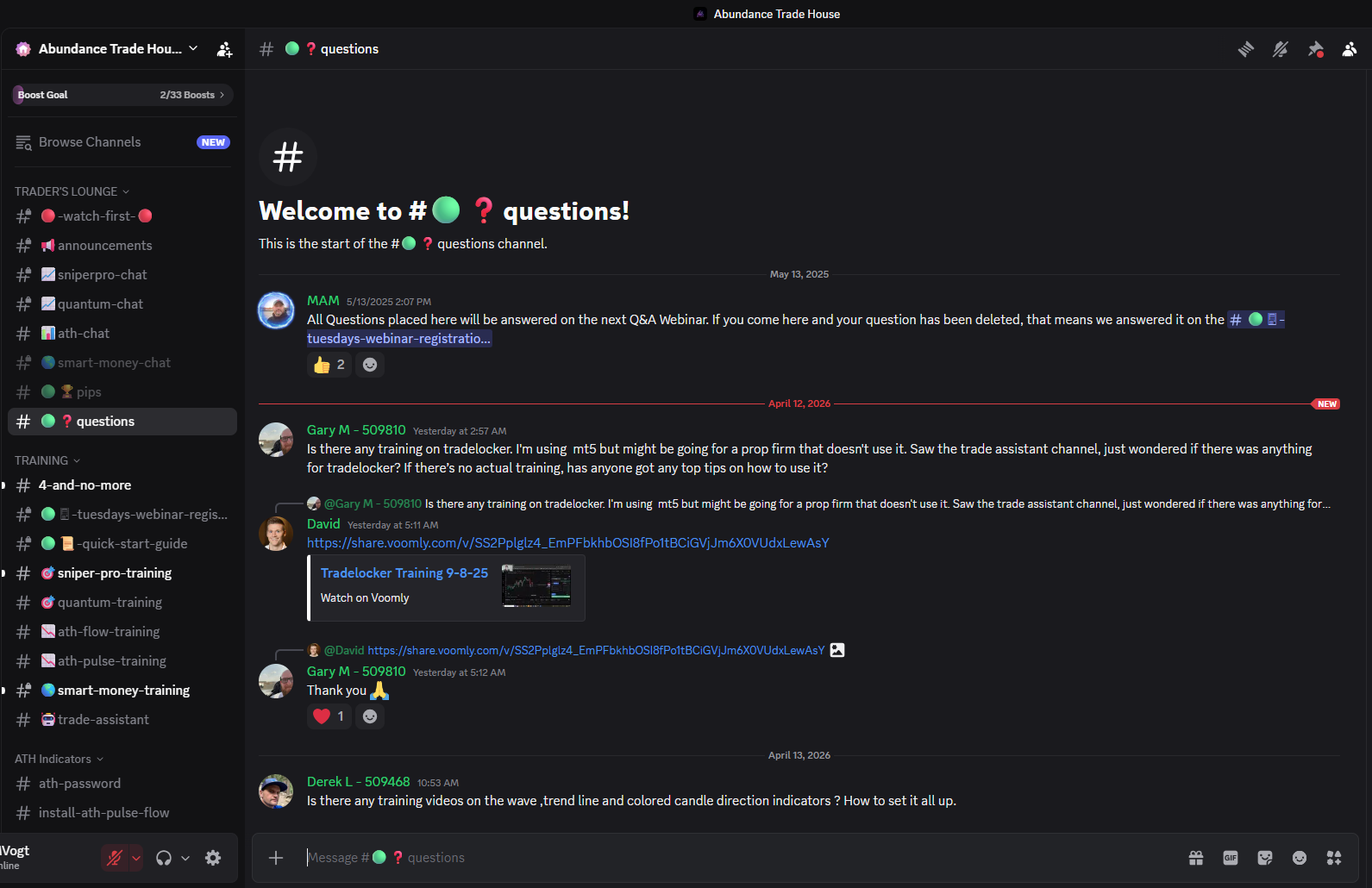
Note: When you first join, you will see a verification area first. After you submit your verification and are approved, you’ll be able to access the full community shown above.
Step 2: Log In to JIFU and Start the Basics
JIFU is where your education and tools live. This is where you’ll access your beginner training, scanners, live sessions, and more.
What to do:
Log in to your JIFU account.
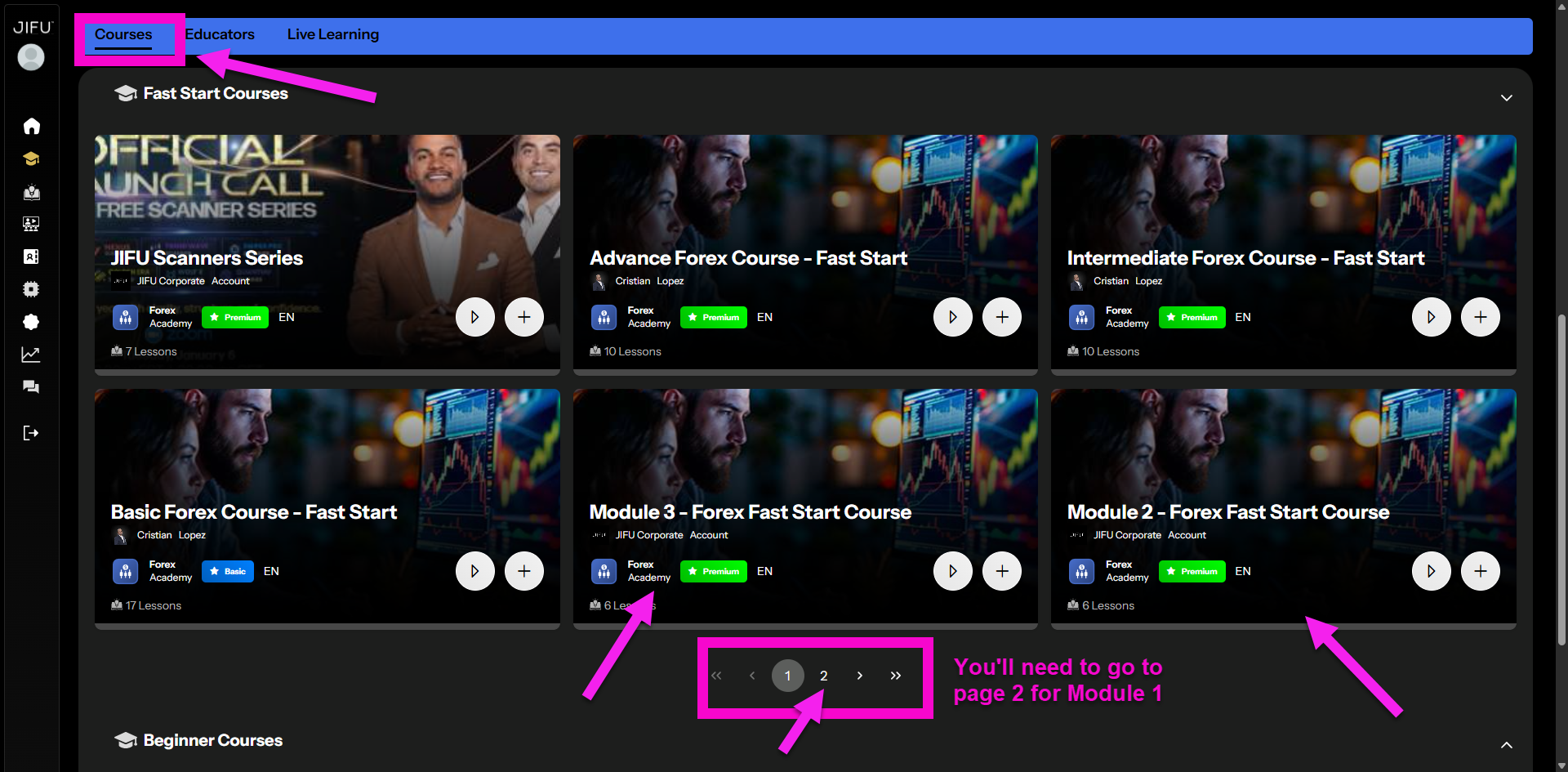
Watch the short video below to see exactly how to find the Fast Start training.
Start with the Forex Fast Start Course.
Why this matters:
You do not need to learn everything at once. Start with the basics so the rest of the tools make more sense.
Watch: How to Find the Forex Fast Start Course
Here’s exactly what your screen will look like 👇
Step 3: Set Up TradingView (Recommended)
TradingView is not required if you are starting with Path 1.
However, it is recommended so you can follow chart markups, learn faster, and be ready to move into other strategies.
If you plan to use Path 3, TradingView is required.
TradingView is the platform we use to view charts, analyze setups, and mark up trades. Most of the team uses it daily.
What to do:
Create your FREE TradingView account.
Watch the account setup video below.
Watch the quick overview video below to understand charts, the long/short tool, and what TP and SL mean.
Watch: How to Create a TradingView Account
Watch: How Charts Work + How to Place a Trade
TradingView Overview / Long vs Short / TP & SL / Long-Short Tool Video Goes Here
Want a full beginner breakdown of TradingView? You can go deeper anytime with my full step-by-step series.
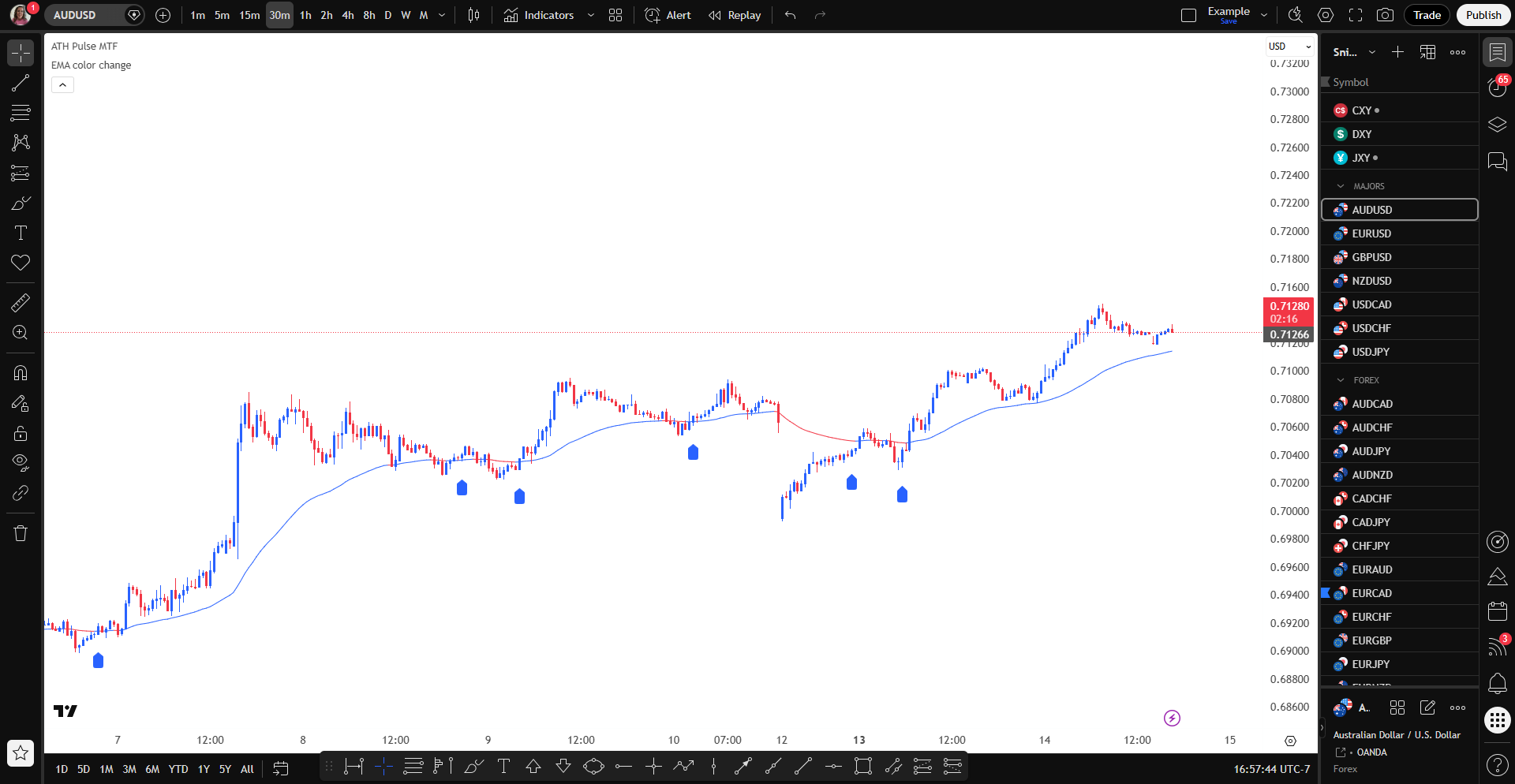
Here’s what your chart setup will look like 👇
Now that you understand the basics of how trades work, the next step is choosing the strategy you want to start with.
Step 4: Select Your Strategy
To keep things simple, I recommend that most new members start with Path 1 unless they already have experience.
Don’t worry if you don’t fully understand everything yet — you’ll practice this in the next step.
Path 1 – 4H SniperPro (Recommended for Beginners)
This is the easiest and least stressful place to start. You only need to check for trades about twice a day, and it takes around 20 minutes.
Path 2 – 1H SniperPro
For people who have a little more experience and want more opportunities.
Path 3 – 1m to 30m SniperPro
For people with more time who want a faster-paced strategy.
Important note:
You do not need to figure out every strategy right now. Start with Path 1, get familiar with the process, and move up later if you want to.
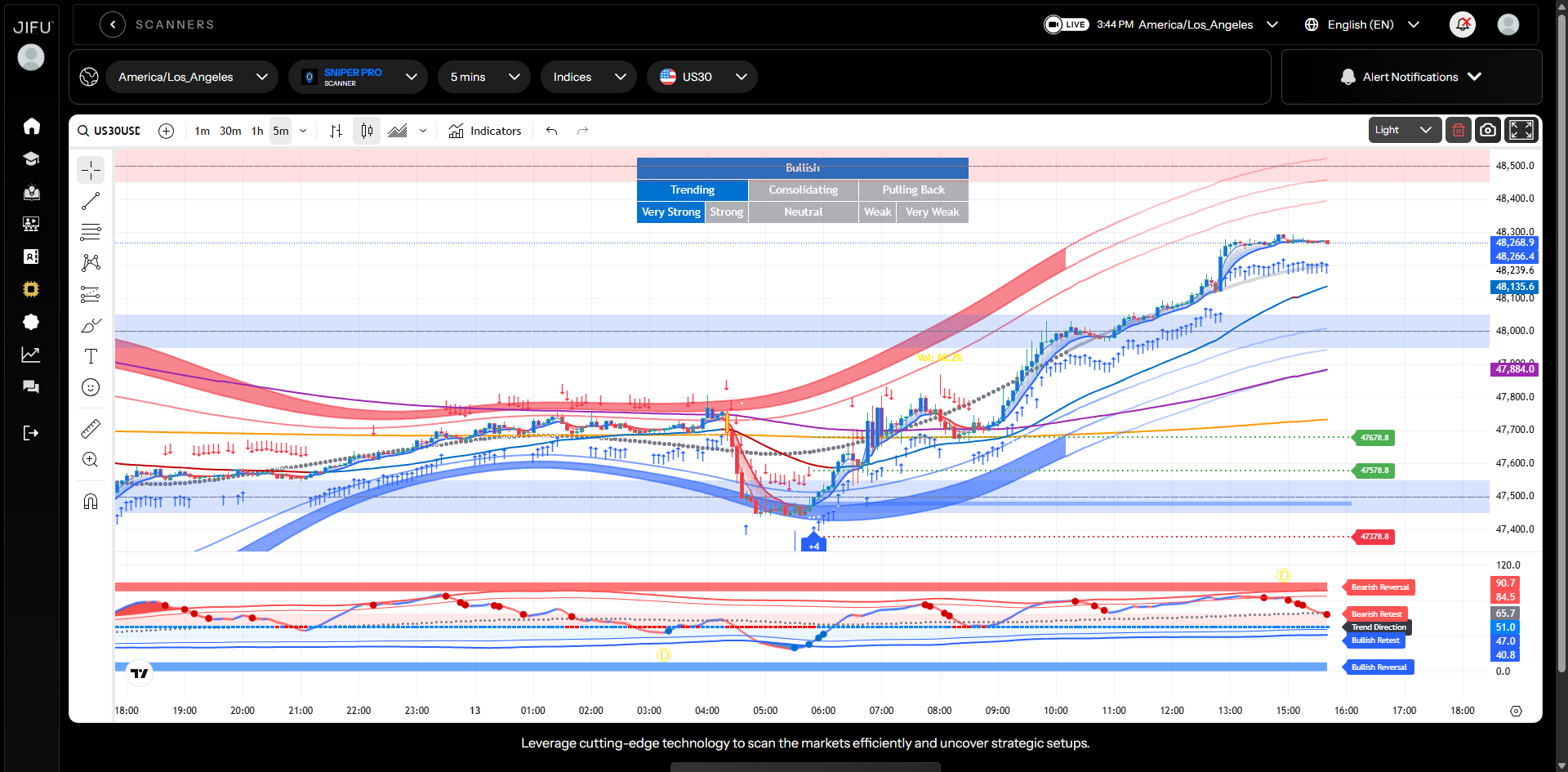
This is the scanner you’ll use to find trade setups when starting with SniperPro 👇
Step 5: Practice on Demo First
Before you think about trading real money, practice on a free demo account.
What to do:
Watch the demo account setup video.
Create a free demo account with the broker of your choice.
Use the platform walkthrough if needed.
Why this matters:
Your first goal is not to make money. It’s to learn the process, practice the strategy, and build confidence without pressure.
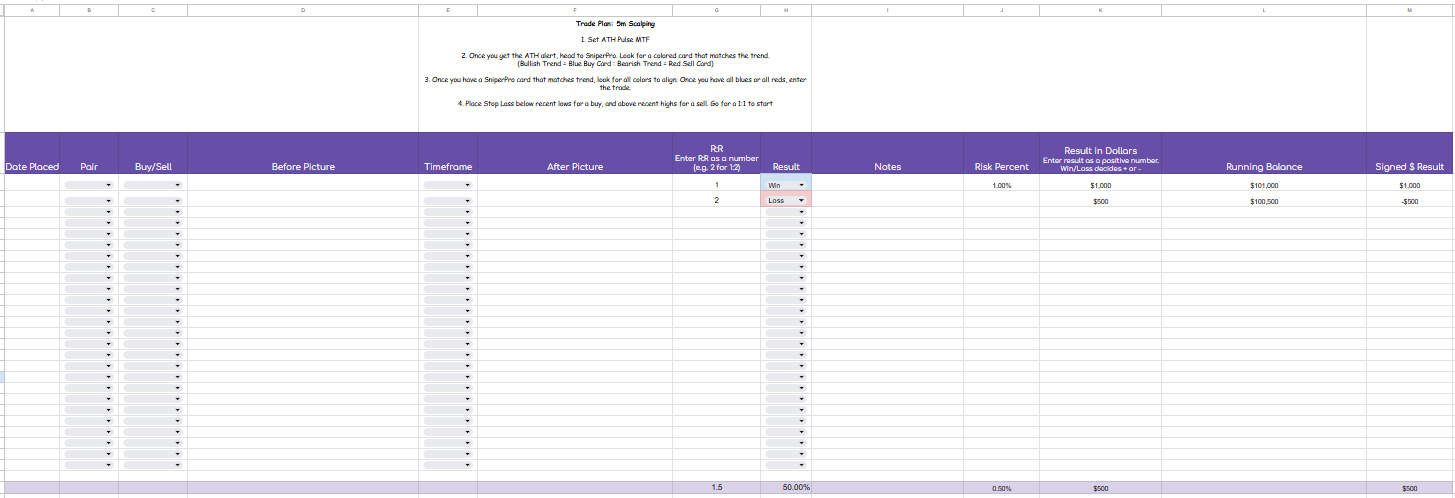
Step 6: Journal Every Trade
Journaling is one of the fastest ways to improve and stay consistent.
What to do:
Watch the journaling video.
Make a copy of the trade journal.
Track every demo trade you take.
Why this matters:
Your journal will help you see what’s working, what’s not, and when you may be ready to move from demo to live trading.
This is where you’ll track your trades — don’t worry, we’ll show you how to use it 👇
Need Help Along the Way?
You are not doing this alone. If you get stuck, confused, or just need help deciding what to do next, go into Discord and ask your question there.
That is the best place to get support from our ATH team and mentors in real time.
You can also message me directly if you need help getting started or just want guidance on what to do next 💬
Your only goal right now:
Get connected.
Start with the basics.
Practice on demo.
Journal your trades.
You do not need to master everything this week. You just need to take the next step.